Upload the files you already produce. AP Render organizes them onto a single project page your client can actually use.
What you can upload
Everything you deliver, in one project.
01Model
3D models
Bring your model straight from Revit, SketchUp, Rhino, ArchiCAD or Blender and your client orbits the building right in the browser. No CAD license, no plugin, nothing to install.
02Gallery
Renders
Your hero shots and render sets, presented as a clean gallery instead of a bounced 40 MB email attachment.
03Drawings
Floor plans & drawings
The full PDF drawing set, with measure and pin-comment tools built right on top of the plan.
A real shared project
Not a mockup. The page your client receives.
High-resolution renders, the full PDF drawing set and the 3D model, laid out together and ready to explore. This is an actual shared link.
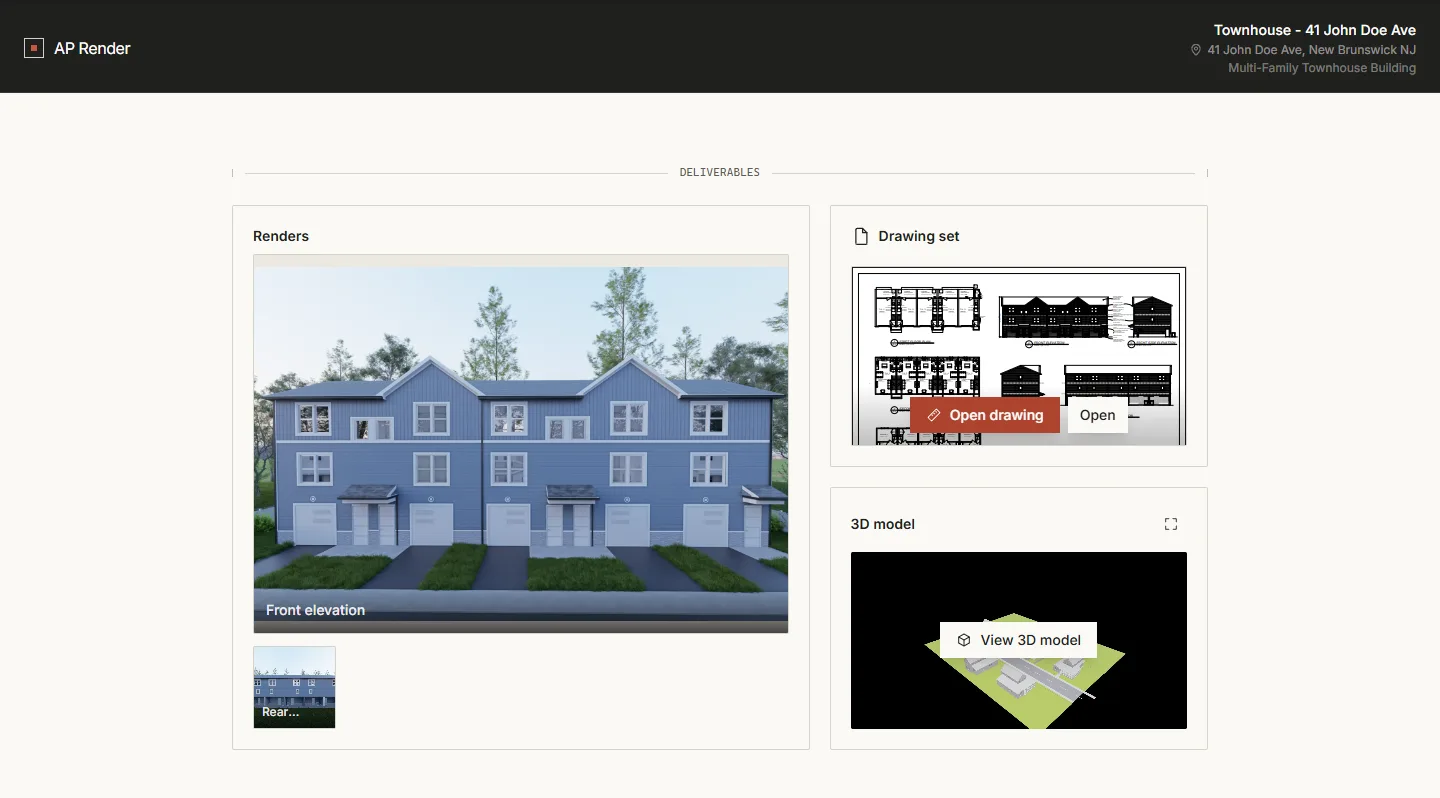
- RendersHero shots presented as a clean gallery, at full resolution.
- Drawing setThe PDF set, with measure and pin-comment tools on the plan.
- 3D modelYour client orbits the building right in the browser.
More than storage
A workspace your clients can actually use.
Email can hold your files. AP Render lets your client explore them, measuring, orbiting and commenting on their own, long before the first showing.
01
Measure it in the browser
Clients pull real distances, areas and heights straight off the model and the plan. No CAD license, no plugin, no callback to ask how wide the kitchen is.
02
Orbit the 3D model
They walk around the building from every angle on any device, the same model you exported, live in the browser.
03
Comment right on the drawing
Clients pin feedback directly onto the PDF plan, so notes land in context instead of buried in an email thread.
One link
One link instead of a pile of files.
Stop stitching a project together across email, Dropbox and WeTransfer. Send one link, that’s the whole handoff.
The old way
- Renders emailed, drawings in Dropbox, the model somewhere else
- Attachments too big to send
- “Which folder and is this the latest version?”
- Clients need the right app just to open a file
With AP Render
- One private link with every deliverable on it
- Opens on any device, PC, tablet or phone. Nothing to download
- Always the latest. Update once, the link stays the same
- Clients just click, explore and measure in the browser
Pricing
Simple, flat pricing.
One monthly price per firm, never per seat. Start free for 14 days, no credit card required.
Starter
$19/mo
For a solo architect getting started.
- Active projects2
- In-browser 3D + measuring✓
- Drawing markup & comments✓
- Unlimited link viewers✓
- Custom branding—
- Priority support—
Flat monthly price · unlimited link viewers · 14-day free trial · no card required.
Questions about plans
- What counts as an “active project”?
- Any project you haven’t archived. Archiving a finished project frees the slot back up — nothing is deleted, and you can reactivate it any time.
- What happens to my projects and client links if I cancel or downgrade?
- Everything stays put — your projects, files and share links keep working, and nothing is made private. Cancelling or downgrading only stops future billing (you keep access through the end of the period) and caps how many new projects you can create. If you’re above the new plan’s limit, archive a few finished ones to make room.
- Is there a limit on file sizes or storage?
- Each upload — a model, PDF drawing set, or render — has a generous per-file cap, and 3D models are auto-optimized on upload to stay fast for clients. Expecting unusually large files? Get in touch first.
- Do you offer annual billing?
- Plans are billed monthly today. If you’d prefer annual billing, contact us and we’ll sort it out.